Samsung ED55D - Krótka instrukcja
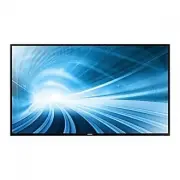
Profesjonalny wyświetlacz Samsung ED55D – Krótka instrukcja, czytaj za darmo online w formacie PDF. Mamy nadzieję, że to pomoże rozwiązać wszelkie problemy, które mogą się pojawić. Jeśli masz dodatkowe pytania, skontaktuj się z nami za pomocą formularza kontaktowego.

[Svenska]
Problem
Lösningar
Skärmen håller på att slås på och av.
Kontrollera kabelanslutningen mellan produkten
och datorn och se till att anslutningen är säker.
“Ingen signal” visas på skärmen.
Kontrollera att produkten är korrekt ansluten med
en kabel.
Kontrollera att enheten som är ansluten till
produkten som är påslagen.
Meddelandet “Ej optimalt läge” visas.
Meddelandet visas när en signal från grafikkortet
överskrider produktens maximala upplösning och
frekvens.
Se tabellen för standardsignalläge och ställ in
maximal frekvens enligt produktspecifikationerna.
[Magyar]
Problémák
Megoldások
A képernyo felváltva be- és kikapcsol.
Ellenorizze a készülék és a számítógép közötti
kábeles kapcsolatot, és gyozodjön meg arról, hogy
a csatlakoztatás stabil.
A „No Signal” üzenet látható a képernyon.
Gyozodjön meg arról, hogy a készülék megfeleloen
van csatlakoztatva a kábellel.
Ellenorizze, hogy be van-e kapcsolva a kijelzohöz
csatlakoztatott eszköz.
Megjelenik a „Not Optimum Mode” üzenet.
Ez az üzenet akkor jelenik meg, ha a videokártyától
érkezo jel felbontása és frekvenciája meghaladja a
készülék maximális felbontását vagy frekvenciáját.
A Szabványos jelmód táblázat alapján állítsa be
a készülék muszaki jellemzoinek megfeleloen a
maximális felbontást és frekvenciát.
[Polski]
Problem
Rozwiązanie
Ekran naprzemiennie włacza sie i wyłacza.
Sprawdz połaczenie miedzy urzadzeniem a
komputerem i upewnij sie, ze zostało wykonane
poprawnie.
Na ekranie pojawia sie komunikat „Brak
sygnału”.
Upewnij sie, ze urzadzenie jest prawidłowo
podłaczone kablem.
Sprawdz, czy urzadzenie podłaczone do monitora
jest właczone.
Pojawia sie komunikat „Niewłasciwy tryb”.
Komunikat ten pojawia sie, gdy sygnał z karty
graficznej przekroczy maksymalna rozdzielczosc i
czestotliwosc urzadzenia.
Patrz Tabela trybu standardowego i ustaw
maksymalna rozdzielczosc i czestotliwosc zgodnie
ze specyfikacja urzadzenia.
[Português]
Problemas
Soluções
O ecrã está continuamente a ligar e a desligar.
Verifique a ligação do cabo entre o produto e o PC, e
certifique-se de que a ligação está bem efectuada.
A mensagem “Sem sinal” é apresentada no
ecrã.
Verifique se o produto está ligado correctamente
com um cabo.
Verifique se o dispositivo ligado ao produto está
ligado.
A mensagem “Modo inadequado” é
apresentada.
Esta mensagem é apresentada quando um sinal da
placa gráfica ultrapassa a resolução e a frequência
máximas do produto.
Consulte a Tabela do modo de sinal padrão e
defina a resolução e a frequência máximas de
acordo com as especificações do produto.
[Türkçe]
Sorunlar
Çözümler
Ekran açılıp kapanmaya devam ediyor.
Ürün ve PC arasındaki kablo baglantısını kontrol
edin ve baglantının saglam oldugundan emin olun.
Ekranda “Sinyal Yok” görüntüleniyor.
Ürünün bir kabloyla dogru sekilde baglandıgını kontrol
edin.
Cihazın baglı oldugu ürünün açık oldugunu kontrol
edin.
“Uygun Olmayan Mod” görüntüleniyor.
Bu mesaj, grafik kartından gelen bir sinyal ürünün
maksimum çözünürlügünü ve frekansını astıgında
görüntülenir.
Standart Sinyal Modu Tablosu’na bakın ve ürünün
teknik özelliklerine uygun olarak maksimum
çözünürlügü ve frekansı ayarlayın.
Troubleshooting
Dépannage
[English]
Issues
Solutions
The screen keeps switching on and off.
Check the cable connection between the product
and PC, and ensure the connection is secure.
“No Signal” is displayed
on the screen.
Check that the product is connected correctly with
a cable.
Check that the device connected to the product is
powered on.
“Not Optimum Mode” is displayed.
This message is displayed when a signal from the
graphics card exceeds the product’s maximum
resolution and frequency.
Refer to the Standard Signal Mode Table and set
the maximum resolution and frequency according
to the product specifications.
[Français]
Problèmes
Solutions
L’écran s’allume et s’éteint continuellement.
Vérifiez que le câble est connecté correctement
entre l’appareil et l’ordinateur.
“Aucun signal” s’affiche à l’écran.
Vérifiez que l’appareil est connecté correctement à
l’aide d’un câble.
Assurez-vous que le périphérique connecté à
l’appareil est sous tension.
“Mode non optimal” est affiché.
Ce message s’affiche lorsqu’un signal émis par la
carte graphique est supérieur
à la fréquence et la résolution maximales de
l’appareil.
Consultez le tableau des modes de signal standard
et réglez la fréquence et la
résolution maximales conformément aux
spécifications de l’appareil.
[Deutsch]
Problem
Lösungen
Der Bildschirm wird ständig ein- und
ausgeschaltet.
Überprüfen Sie die Kabelverbindung zwischen dem
Gerät und dem PC.
Die Meldung „Kein Signal“ wird auf dem
Bildschirm angezeigt.
Überprüfen Sie, ob das Gerät korrekt über ein
Kabel angeschlossen ist.
Überprüfen Sie, ob das angeschlossene Gerät
eingeschaltet ist.
Die Meldung „ungeeign. Modus“ wird
angezeigt.
Diese Meldung wird angezeigt, wenn ein Signal
von der Grafikkarte die
maximale Aulösung und Frequenz des Geräts
überschreitet.
Schlagen Sie in der Tabelle der
Standardsignalmodi nach und stellen Sie die
maximale Auflösung und Frequenz gemäß den
technischen Daten des Geräts
ein.
[Italiano]
Problemi
Soluzioni
Lo schermo si accende e si spegne.
Controllare la connessione del cavo tra il prodotto
e il PC e verificare che il collegamento sia sicuro.
Sullo schermo viene visualizzato il messaggio
“Assenza di segnale”.
Verificare che il prodotto sia collegato
correttamente mediante cavo.
Verificare che il dispositivo collegato al prodotto
sia acceso.
“Mod non ottimale” viene visualizzato a
schermo.
Questo messaggio viene visualizzato quando il
segnale proveniente dalla scheda grafica supera la
risoluzione e la frequenza massima del prodotto.
Vedere la Tabella delle modalità standard del
segnale e impostare la frequenza e la risoluzione
massima in base alle specifiche del prodotto.
[Español]
Problemas
Soluciones
La pantalla se enciende y se apaga
continuamente.
Compruebe la conexión del cable entre el producto
y el PC, asegúrese de que la conexión sea firme.
“Sin señal” se muestra en la pantalla.
Compruebe que el producto esté conectado
correctamente con un cable.
Compruebe que el dispositivo conectado al
producto esté encendido.
Se muestra”Modo no óptimo”.
Este mensaje se muestra cuando una señal de la
tarjeta gráfica supera la frecuencia y la resolución
máxima del producto.
Consulte la Tabla de los modos de señal estándar
y configure la frecuencia y la resolución máximas
en función de las especificaciones del producto.
Country
Customer Care Centre
AUSTRIA
0800 - SAMSUNG (0800 - 7267864)
BELGIUM
02-201-24-18
BOSNIA
051 331 999
BULGARIA
800 111 31, Безплатна телефонна линия
CROATIA
072 726 786
CYPRUS
8009 4000 only from landline, toll free
CZECH
800 - SAMSUNG (800-726786)
Samsung Electronics Czech and Slovak, s.r.o. V Parku 2343/24,
148 00 - Praha 4
DENMARK
70 70 19 70
EIRE
0818 717100
ESTONIA
800-7267
FINLAND
030-6227 515
FRANCE
01 48 63 00 00
GERMANY
0180 6 SAMSUNG bzw.
0180 6 7267864*
(*0,20 €/Anruf aus dem dt. Festnetz, aus dem Mobilfunk max.
0,60 €/Anruf)
GREECE
80111-SAMSUNG (80111 726 7864) only from land line
(+30) 210 6897691 from mobile and land line
HUNGARY
0680SAMSUNG (0680-726-786)
0680PREMIUM (0680-773-648)
Specifications
Caractéristiques
Download the user manual from the website for further details.
Téléchargez le manuel utilisateur du site Web pour obtenir plus de détails.
Model Name
ED32D
ED40D
ED46D
ED55D
Panel
Size
32 Class (31.5" / 80 cm)
40 Class (40" / 101 cm)
46 Class (45.9" / 116 cm)
55 Class (54.6" / 138 cm)
Display area
697.6845 mm (H) x 392.256 mm (V)
27.5 inches (H) x 15.4 inches (V)
885.6 mm (H) x 498.15 mm (V)
34.9 inches (H) x 19.6 inches (V)
1018.08 mm (H) x 572.67 mm (V)
40.1 inches (H) x 22.5 inches (V)
1209.6 mm (H) x 680.4 mm (V)
47.6 inches (H) x 26.8 inches (V)
Dimensions
(W x H x D)
736.0 x 434.5 x 93.7 mm
29.0 x 17.1 x 3.7 inches
925.4 x 541.0 x 93.6 mm
36.4 x 21.3 x 3.7 inches
1057.7 x 615.8 x 94.8 mm
41.6 x 24.2 x 3.7 inches
1247.7 x 722.9 x 94.8 mm
49.1 x 28.5 x 3.7 inches
Weight (Without Stand)
6.0 kg / 13.2 lbs
9.3 kg / 20.5 lbs
11.9 kg / 26.2 lbs
18.3 kg / 40.3 lbs
Power Supply
This product uses 100 to 240V. Refer to the label at the back of the product as the standard voltage can vary in different countries.
PowerSaver
Normal
Operation
Rating
70 W
100 W
110 W
150 W
Typical
47 W
76 W
88 W
120 W
Max
77 W
110 W
121 W
165 W
Power saving mode
(SOG Signal :
Not Support
the DPM Mode)
Less than 0.5 W
Less than 0.5 W
Less than 0.5 W
Less than 0.5 W
Power off
Less than 0.5 W
Less than 0.5 W
Less than 0.5 W
Less than 0.5 W
Power off
(Power Button off)
0 Watts
0 Watts
0 Watts
0 Watts
Environmental
considerations
Operating
Temperature : 32°F ~ 104°F (0°C ~ 40°C)
Humidity : 10 % – 80 %, non-condensing
Storage
Temperature : -4°F ~ 113°F (-20°C ~ 45°C)
Humidity : 5 % – 95 %, non-condensing
Synchronization
Horizontal Frequency
30 ~ 81 kHz
Vertical Frequency
48 ~ 75 Hz
Resolution
Optimum resolution
1920 x 1080 @ 60 Hz, 1366 x 768 @ 60 Hz(ED32D Model Only)
Maximum resolution
1920 x 1080 @ 60 Hz, 1366 x 768 @ 60 Hz(ED32D Model Only)
[Contact SAMSUNG WORLD WIDE] Web site: www.samsung.com/displaysolutions
[Comment contacter Samsung dans le monde]
Country
Customer Care Centre
ITALIA
800-SAMSUNG (800.7267864)
LATVIA
8000-7267
LITHUANIA
8-800-77777
LUXEMBURG
261 03 710
MONTENEGRO
020 405 888
NETHERLANDS
0900-SAMSUNG (0900-7267864) (€ 0,10/Min)
NORWAY
815 56480
POLAND
0 801-172-678*
lub +48 22 607-93-33 *
* (koszt połączenia według taryfy operatora)
PORTUGAL
808 20 7267
ROMANIA
08008 726 78 64 (08008 SAMSUNG) Apel GRATUIT
SERBIA
011 321 6899
SLOVAKIA
0800 - SAMSUNG (0800-726 786)
SLOVENIA
080 697 267
090 726 786
SPAIN
0034902172678
SWEDEN
0771 726 7864 (SAMSUNG)
SWITZERLAND
0800 726 78 64 (0800-SAMSUNG)
U.K
0330 SAMSUNG (7267864)
BN68-05831M-01.indd 2
2014-08-26 3:21:39
"Ładowanie instrukcji" oznacza, że należy poczekać, aż plik się załaduje i będzie można go czytać online. Niektóre instrukcje są bardzo obszerne, a czas ich ładowania zależy od prędkości Twojego internetu.
Czy ta instrukcja była pomocna?
O tej instrukcji
- Marka
- Samsung
- Model
- ED55D
- Typ dokumentu
- Krótka instrukcja
- Kategoria
- Profesjonalny wyświetlacz
- Język(i)
- Niemiecki, Angielski, Hiszpański, Francuski, Włoski, Dutch, Polski, Rosyjski, Swedish
- Rozmiar pliku
- 656,4 KB
- Format
Inne instrukcje dla Samsung ED55D
Zadaj pytanie
Powiązane instrukcje
Popularne Samsung Profesjonalne wyświetlacze


Więcej modeli Samsung Profesjonalne wyświetlacze
 Samsung DM75E-BR Krótka instrukcja
 Samsung DM82D Instrukcja obsługi
 Samsung ED32D Krótka instrukcja
 Samsung ED40D Krótka instrukcja
 Samsung ED46D Krótka instrukcja
 Samsung ED65D Krótka instrukcja
 Samsung ED65E Instrukcja obsługi
 Samsung ED75D Krótka instrukcja
- Samsung ED75E Instrukcja obsługi
 Samsung IE015R Krótka instrukcja
 Samsung IE025R Krótka instrukcja
 Samsung IF015R Instrukcja obsługi