Dell P2210 - Instrukcja obsługi

Dell P2210 – Instrukcja obsługi, czytaj za darmo online w formacie PDF. Mamy nadzieję, że to pomoże rozwiązać wszelkie problemy, które mogą się pojawić. Jeśli masz dodatkowe pytania, skontaktuj się z nami za pomocą formularza kontaktowego.
w w w . d e l l . c o m | s u p p o r t . d e l l . c o m
NOTE
: It is recommended that you connect
the monitor using the White DVI cable for
better performance.
HINWEIS
: Wir empfehlen, den Monitor über
das weiße DVI-Kabel anzuschließen; so erzielen
Sie eine bessere Leistung.
REMARQUE
: Nous vous recommandons
d’utiliser le câble DVI avec le moniteur pour
obtenir de meilleures performances.
NOTA
: se recomienda conectar el monitor
utilizando el cable DVI blanco para conseguir
un mejor rendimiento.
OBS.
: É recomendável que ligue o monitor
usando o cabo DVI Branco para uma melhor
performance.
NOTA
: si consiglia di collegare il monitor usando
il cavo DVI bianco, per ottenere una prestazione
migliore.
Printed in China.
Printed on recycled paper.
UWAGA
: Dla uzyskania lepszej wydajnosci
zaleca sie, aby monitor podłaczyć białym
kablem DVI.
NOTA
: para más información, consulte
el Manual del usuario en el medio de
Documentación y controladores que
incluye su monitor.
NOTE
: For more information see the
User’s Guide in the Drivers and
Documentation
media that shipped
with your monitor.
1. USB downstream ports
2. Regulatory and PPID label
3. Tilt adjustment
4. Height adjustment
5. Swivel adjustment
6. Preset Modes
(default, but configurable)
7. Brightness & Contrast
(default, but configurable)
8. Menu
9. Exit
10. Power (with power light indicator)
11. Stand release button
12. Security lock slot
13. Dell soundbar mounting brackets
14. Unlock switch
15. Stand security lock slot
16. Cable cover lock switch
17. Cable management clip
1. USB downstream ports
2. Regulatory and PPID Label
12. Tilt Adjustment
13. Height Adjustment
6. Brightness/Contrast
7. Auto Adjust
8. Input Source Select
9. OSD Menu
10. Power Buttoon
(with power light indicator)
11. Stand Release Button
4. Security Lock Slot
3. Dell Soundbar mounting brackets
5. Cable Cover Release Button
HINWEIS
: Weitere Informationen finden
Sie im Benutzerhandbuch im Medium
"Treiber und Dokumentation"
, das mit
Ihrem Monitor mitgeliefer t wird.
1. USB Downstream Ports
2. Regulierungs-und PPID-Etikett
3. Neigungseinstellung
4. Höheneinstellung
5. Schwenken
6. Voreingestellte Modi
(Voreingestellt, aber konfigurierbar)
7. Helligkeit / Kontrast
(Voreingestellt, aber konfigurierbar)
8. Menü
9. Verlassen
10. Ein/Aus (mit Betriebsanzeige)
11. Gestell-Freigabe-Schalter
12. Sicherheitsschloss-Schlitz
13. Dell Soundbar Schraubbefestigungen
14. Freigabetaste
15. Ständerschlitz für Sicherheitsschloss
16. Kabelabdeckung-Verriegelungstaste
zum Fixieren
17. Schlitz zur Kabelverwaltung
REMARQUE
: Pour plus d'informations
consultez le Guide Utilisateur sur le
suppor t Pilotes et documentation livré
avec votre moniteur.
1. Ports USB en aval
2. Étiquette réglementaire et PPID
3. Réglage d'inclinaison
4. Réglage de hauteur
5. Réglage de l'angle
6. Modes de préréglage
(par défaut, mais configurable)
7. Luminosité/Contraste
(par défaut, mais configurable)
8. Menu
9. Quitter
10. Alimentation
(avec témoin lumineux d'alimentation)
11. Bouton de dégagement du support
12. Fente de verrouillage de sécurité
13. Supports de montage Dell Soundbar
14. Bouton de déverrouillage
15. Fente de verrouillage de sécurité de la base
16. Bouton de verrouillage du couvercle de câble
17. Fente de gestion des câbles
1. Puertos de descarga USB
2. Etiqueta administrativa y de PPID
3. Ajuste de inclinación
4. Ajuste de altura
5. Ajuste de giro
6. Modos predefinidos
(Predeterminado, pero configurable)
7. Brillo y Contraste
(Predeterminado, pero configurable)
8. Menú
9. Salir
10. Encendido
(con indicador luminoso de encendido)
11. Botón de liberación del soporte
12. Ranura de bloqueo de seguridad
13. Abrazaderas de montaje para Dell Soundbar
14. Conmutador de desbloqueo
15. Ranura de bloqueo de seguridad de soporte
16. Abajo la cubierta de cable para bloquearla
17. Ranura de gestión de cable
OBSERVAÇÃO.
: Para mais informações
veja Guia do Usuário na mídia Drivers e
Documentação que é enviada junto ao
seu monitor.
1. Portas USB de downstream
2. Etiqueta PPID e Regulatória
3. Ajustamento da Inclinação
4. Ajustamento da Altura
5. Ajuste da Articulação
6. Modos pré-definidos
(padrão, mas configuráveis)
7. Brilho e Contraste (padrão, mas configuráveis)
8. Menu
9. Saída
10. Liga/desliga
(com luz indicadora de funcionamento)
11. Botão de Libertação da Base
12. Ranhura de Bloqueio de Segurança
13. Suportes de montagem do Dell Soundbar
14. Desbloqueia o Interruptor
15. Abertura do bloqueio de segurança
do suporte
16. Interruptor de bloqueio da cobertura do cabo
17. Slot de gerenciamento do cabo
NOTA
: Per altre informazioni, fare
riferimento alla Guida all’uso, del
suppor to Drivers and User
Documentation (Driver e Documentazione)
fornito in dotazione al monitor.
1. Porte USB downstream
2. Etichetta normativa e PPID
3. Regolazione inclinazione
4. Regolazione altezza
5. Regolazione della rotazione
6. Modalità predefinite
(predefinito, ma configurabile)
7. Luminosità/Contrasto
(predefinito, ma configurabile)
8. Menu
9. Esci
10. Tasto d’alimentazione
(con indicatore luminoso)
11. Tasto di sblocco supporto
12. Fessura per blocco di sicurezza
13. Staffe di montaggio Dell Soundbar
14. Interruttore di sblocco
15. Alloggio per lucchetto della base
16. Interruttore di blocco della copertura cavi
17. Alloggio per la gestione dei cavi
1. USB downstream ports
2. Regulatory and PPID Label
8. Dell Soundbar mounting brackets
10. Security Lock Slot
11. Cable Cover Release Button
3. Brightness/Contrast
4. Auto Adjust
5. Input Source
6. OSD Menu
7. Power Buttoon
(with power light indicator)
9. Stand Release Button
12. Tilt Adjustment
13. Height Adjustment
6
7
8
9
10
11
1
1
2
3
4
13
21°
4°
90mm
90mm
90mm
5
12
(DELL P/N:C970T Rev.A00)
506280013000R(A)XX
(DELL P/N:D762T Rev.A00)
506280013001R(A)XX
(A) 090310: First version. (Polish buttom item 5~8 need to be translated.)
090413: According to 090413 DELL Shubhashree per 090413 INX
謝亮
:
1) Need to show where is the Regulatory Label (refer to the QSG of P2210 below).
4
21°
4°
90mm
90mm
90mm
3
5
11
13
12
1
2
14
15
16
17
360
360
°°
360
°
6
7
8
9
10
506280013000R
POSTER,QUICK SETUP, EAST,LP2280
C970T
PLCMT,STUP,P2210F,SFF,EAST Placemat (East)
506280013001R
POSTER,QUICK SETUP,WEST, LP2280
D762T
PLCMT,STUP,P2210F,SFF,WEST Placemat (West)
(DELL P/N:D762T Rev.A00)
506280013001R(A)XX
UWAGA
: W celu uzyskania dalszych
informacji, patrz Podręcznik użytkownika
na nośniku Drivers and Documentation
(Sterowniki i Dokumentacja) dostarczonym
z monitorem.
1. Porty USB pobierania
2. Etykieta z przepisami i PPID
3. Regulacja nachylenia
4. Regulacja wysokości
5. Regulacja obrotu
6. Tryby ustawień wstępnych
(domyślnie, jednak bez możliwości konfiguracji)
7. Jasność/Kontrast
(domyślnie, jednak bez możliwości konfiguracji)
8. Menu
9. Wyjście
10. Zasilanie (ze wskaźnikiem zasilania)
11. Przycisk zwalniania podstawy
12. Gniazdo zabezpieczenia
13. Wsporniki montażowe panela Dell Soundbar
14. Przełącznik odblokowania
15. Gniazdo blokady bezpieczeństwa stojaka
16. Przełącznik blokady pokrywy kabli
17. Gniazdo zarządzania kablami
語言順序
:
West- English, German, French, Spanish, Polish, Portuguese Brazil, Italian
.---For P2210 SFF AIO, “Polish replaces Russian”--Confirmed by INL Liang Xie(
謝亮
) 090320.
East- English,
簡中
,
繁中
,
日文
,
韓文
,
泰文,
Indonesia
Information in this document is subject to
change without notice.
© 2009 Dell Inc. All rights reserved.
Reproduction of these materials in any manner
whatsoever without the written permission of
Dell Inc. is strictly forbidden.
Dell
and the
DELL
logo are trademarks of Dell Inc.
Dell disclaims proprietary interest in the marks and
names of others.
Änderung der Informationen in diesem Dokument
jederzeit vorbehalten.
© 2009 Dell Inc. Alle Rechte vorbehalten.
Die Reproduzierung dieser Materialien unter irgendeiner
Form ohre die schriftliche Erlaubnis von Dell Inc. ist
strengstens verboten.
Dell
und das
DELL
Logo sind Warenzeichen von Dell Inc.
Dell hat keine Eigentumsrechte über Marken und
Namen anderer Inhaber.
Les informations contenues dans ce document
sont sujettes à modifications sans préavis.
© 2009 Dell Inc. tous droits réservés.
La reproduction de ces contenus de quelque
façon sans la permission écrite de Dell Inc.
est strictement interdite.
Dell
et le logo
DELL
sont des marques déposées de Dell Inc.
Dell renonce à tout intérêt de propriété dans les
marques et noms des autres.
La información de este documento se encuentra sujeta
a cambios sin aviso previo.
© 2009 Dell Inc. Todos los derechos reservados.
La reproducción de dichos materiales sin permiso por
escrito de Dell Inc. queda terminantemente prohibida.
Dell
et le logo
DELL
sont des marques déposées de
Dell Inc.
Dell renonce à tout intérêt de propriété dans les
marques et noms des autres.
As informações neste documento estão sujeitas
a alteração sem aviso.
© 2009 Dell Inc. Todo os direitos reservados.
A reprodução destes materiais em qualquer maneira
sem a permissão escrita da Dell Inc. é estritamente
proibida.
Dell
e o logotipo
DELL
são marcas comerciais da Dell Inc.
A Dell nega qualquer interesse de propriedade em
marcas e nomes de terceiros.
Informacje zawarte w niniejszym dokumencie
podlegają zmianom bez uprzedzenia.
© 2009 Dell Inc. Wszystkie prawa zatrzeżone.
Powielanie tych materiałów w jakikolwiek sposób
bez pisemnej zgody Dell Inc. jest surowo zabronione.
Dell
i logo
DELL
sa zastrzeżonymi znakami towarowymi
Dell Inc.
Firma Dell zaprzecza zainteresowaniu prawami
własności do marek i nazw należących do innych.
Le informazioni di questo documento sono soggette
a cambiamenti senza preavviso.
© 2009 Dell Inc. Tutti i diritti sono riservati..
Qualsiasi tipo di riproduzione di questi materiali, senza
l’autorizzazione scritta della Dell Inc. è severamente proibita.
Dell
ed il logo
DELL
sono marchi di fabbrica registrati
della Dell Inc.
Dell nega ogni interesse di proprietà in marchi e nomi diversi
dal proprio.
C
M
Y
CM
MY
CY
CMY
K
DELL-INL-P2210 SFF AIO-QSG (WB-A)-090413.pdf 2009/4/13 下午 07:04:48
DELL-INL-P2210 SFF AIO-QSG (WB-A)-090413.pdf 2009/4/13 下午 07:04:48
August 2009
August 2009
Août 2009
Agosto 2009
Agosto 2009
Sierpień 2009
Agosto 2009
"Ładowanie instrukcji" oznacza, że należy poczekać, aż plik się załaduje i będzie można go czytać online. Niektóre instrukcje są bardzo obszerne, a czas ich ładowania zależy od prędkości Twojego internetu.
Czy ta instrukcja była pomocna?
O tej instrukcji
- Marka
- Dell
- Model
- P2210
- Typ dokumentu
- Instrukcja obsługi
- Język(i)
- Niemiecki, Angielski, Hiszpański, Francuski, Włoski, Dutch, Polski, Rosyjski, Swedish
- Rozmiar pliku
- 752,2 KB
- Format
Zadaj pytanie
Powiązane instrukcje
Popularne Dell Inne

Więcej modeli Dell Inne
 Dell OptiPlex 3020M Instrukcja obsługi
 Dell OptiPlex 9020M Instrukcja obsługi
 Dell OptiPlex GX270 Instrukcja obsługi
 Dell P790 Instrukcja
 Dell P1130 Instrukcja obsługi
 Dell P1230 Instrukcja obsługi
 Dell P2211H Instrukcja
 Dell P2311H Instrukcja
 Dell PowerConnect 2124 Instrukcja obsługi
 Dell POWEREDGE 300 Instrukcja obsługi
 Dell POWEREDGE 840 Instrukcja obsługi
 Dell PowerEdge C4130 Instrukcja obsługi
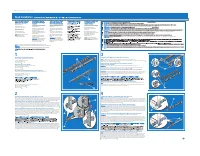 Dell PowerEdge R210 Instrukcja instalacji
 Dell PowerEdge R300 Instrukcja obsługi
 Dell PowerEdge R310 Instrukcja instalacji
 Dell PowerEdge R320 Instrukcja obsługi
 Dell PowerEdge R510 Instrukcja instalacji
 Dell PowerEdge R530 Instrukcja obsługi